I've implemented a new Pagecord feature that allows tags to be added when posting by email. Hopefully this post has three tags 🤞
Internet flâneur • Pagecord foundling
Posts tagged with email
HEY vs Fastmail: One year on
For all the social media, messaging, and productivity apps I have installed, my digital communication is still dominated by email. Sure I use WhatsApp, iMessage, Slack, Basecamp, Twitter, Instagram… but email is the constant that I can’t do without, at work or at home.
I’ve been using Fastmail for around 7 years, and before that I used Gmail. When HEY launched just over a year ago I signed up as soon as I could. Not because Fastmail had flaws, but because I quite like new shiny things, I love Ruby on Rails, and I’m intrigued by the products that Basecamp create. I don’t think Basecamp have the slickest products on the market but they create a narrative around their products and I found the promotion around HEY quite compelling.
I’ve used HEY for almost a year now, so it feels like the right time to reflect on the product. I should admit that I haven’t used HEY exclusively over this time. I did try forwarding all my email into it for a few weeks, but I found it something of a trial by fire and I quickly reverted. Instead I started to move different cohorts of email over to it (newsletters, GitHub notifications, receipts), enough to give me a solid experience of it without committing full time.
I wrote a popular post last year that has had thousands of views, and I think all those first impressions still stand today. What follows is a breakdown of what works for me with HEY, what doesn't, and why I've ultimately decided it's not for me.
What worked for me with HEY
The HEY apps are really good. I’ve used them on iOS, iPadOS and macOS and they work well. They’re fast, responsive, and I’ve not really encountered any problem with them. That said, I do actually still use Apple Mail sometimes (I love the embedding photos functionality, where I can choose what size I want the image to be), so the fact that HEY is a closed system does bother me a little. I can live with this limitation but in the back of my mind I can’t shake the fact I’ve handed over a lot of control to the Basecamp team.
The specific workflow HEY forces upon you actually works for me, mostly. Directing receipts into Paper Trail is nice, and I like The Feed (the concept, not the UX as much). Set Aside and Reply Later are nice ideas.
I really like the Files area. An at-a-glance, and searchable, view of all the attachments. This is nice, although when people embed images in their signatures these also show up in the Files area which is pretty irritating as they can quickly dominate the list.
HEY World is fantastic. Nobody expected a blogging feature, but it makes total sense and the simplicity of execution is excellent. If you don’t want to run a static site for your blog, you’ll probably have to pay for a blogging app so bundling one into your email which you’re paying for anyway is a nice touch. A custom domain option would be amazing but I appreciate why it’s not there.
Things that didn’t work for me
I really want to like HEY, but there are just too many things on this list that bug me.
Much as I love the @hey.com email address (which, as I understand it, is now mine forever since I paid for HEY for a year), I still want to use a custom domain. Owning your own domain is brilliant. It costs around $1/mo and it gives you the freedom to switch email providers at your leisure without enduring the major hassle of updating your email address everywhere. My email address is in hundreds of online accounts (419 according to 1Password, OMG!), and the thought of changing them all is too much. Of course I could choose to forward mail into HEY, but I’d rather do it the other way around. Unfortunately, Basecamp backtracked a little on custom domains (which they have publicly regretted), choosing to rebrand HEY for Work as both a work and custom domain solution. This option wasn’t sufficient for me.
HEY is based on principles and you’re expected to conform to them. There are some areas where I find this tricky, such as notifications. By default, there are no notifications in HEY at all. The HEY website, however, states:
Instead of getting push notified for everything, you decide which senders or threads are important enough to warrant notifications. You’re in control.
Except you’re not totally in control! Want to be notified when there are new message in The Feed? Not possible. Want an unread badge on the app icon? Nope. If I’m in control, I’d like to choose! They did relent somewhat and allow push notifications for all new mail, but a badge count isn’t possible. I think this is a little obstinate. The Feed should have some sort of notification. Not necessarily push notifications, but some sort of indication in the Imbox that there is something new to read in there. Instead I have to compulsively check it just to see on the off-chance if there’s something new to read. I get that I should only check it when I feel I have time to read, so maybe I should work on that! 😅
The keyboard shortcuts generally work well, but they’re not quite enough. I found there was a constant need to click on the avatar with the mouse to select one or more mails, and then take an action. I’d much rather cycle through them with keyboard shortcuts as I can with Fastmail.
The speed of HEY is really pretty good considering it’s all server-side rendering, and I'm delighted they open-sourced Hotwire which is a game changer, but looking at it objectively, Fastmail is much quicker. Fastmail is insanely fast on both iOS and web. Once you become accustomed to using Fastmail’s web interface and their powerful keyboard shortcuts, nothing will come close.
No swipe to delete on mobile. Maybe the idea is that I shouldn’t be deleting mail, but I genuinely don’t want those GitHub notifications once I’ve dealt with them, ever. Rather than being able to swipe to bin them, I am forced to click on the avatar, click the More button and then trash. Too much effort, especially when you have multiple mails. I tried bundling email, but I didn’t get on with that either.
I couldn’t shake the feeling that I was being locked in, and to some extent you are. I can leave and forward my HEY email somewhere else. I can export my mail, but if I have been diligently labelling all my email in HEY, exporting my emails results in a single .mbox file and all my label history is gone. This could be fixed by offering multiple .mbox files, one per label. Maybe I’m niggling?
No snooze. I think this is such an important feature of Fastmail and Gmail and it’s an omission from HEY right now. Sure I can set aside and reply later, but there are too many occasions where I want to set something aside for a few weeks, months even. With HEY, my only option is Set Aside but then the email is staring me in the face constantly, demanding my attention. With Fastmail, I can snooze for a month and have it reappear in my inbox when I need to deal with it, allowing me to forget all about it until then. This is liberating, but with HEY it’s lacking.
Cover art. This feels like it should be an Archive folder. Some people (🙋) really don’t want to see the ‘previously seen’ list every time they view their inbox. HEY acknowledges this by allowing you to cover these emails up with an image. I get the intention here, of course, but maybe the feature customers really want is to be able to archive their email from the inbox (sorry, Imbox)?
What impact has HEY had?
I enjoy using it for sure, but HEY isn’t quite firing on all cylinders for me. But has it changed the way I use email?
I still use the HEY workflow labels in Fastmail (Set Aside, Paper Trail) as I wrote about in my original post. I find Set Aside works for me to some degree, but I tend to use snooze more than set aside. I don’t think Reply Later really works for me because I can’t help but leave mails that need attention in my inbox, and archive the rest! Inbox Zero for me isn’t a religion, it’s a productive workflow. The inbox is a todo list for me and I like that, but HEY has a different approach.
One of HEY’s principles was a fresh start where you don’t need all that old email baggage. I took this to heart somewhat. I have loads of folders of archived email, well over 20 years of it. I would agree that the majority of this is baggage so I’ve gone ahead and remove a tonne of it. I didn’t delete it entirely, I exported the folders to my local macOS Mail and deleted them from Fastmail. So I still have it and can search it if I really needed to find something, but I have far fewer folders in Fastmail now.
What next?
My HEY account is up for renewal soon and I’m still intrigued to see how it develops so I’ll pay for one more year (I’m fortunate enough to be able to cover the cost, which I appreciate is a luxury).
I understand now that I’m not their target market. You might say I’m an email ‘power user’ which isn’t a good fit. I’m too high maintenance feature-wise, looking for specific export options and a more flexible custom domain implementation (I have several domains on the go!).
I have a feeling churn will hit HEY in 2021 as excited early adopters are faced with renewal (never mind the additional impact of the recent Basecamp policy debacle). Following my first blog post, I’ve had a few HEY customers get in touch and ask what I’m thinking now, and most of them are not convinced by HEY, especially the custom domains, and are going to ditch it.
Final reflections
I wholeheartedly recommend Fastmail but I want to stress a big caveat. Only use it with a custom domain. Fastmail have a policy of recycling email addresses when customers stop paying, which I can’t help but think is a security disaster. As an example, my Fastmail username was previously used by someone else and I still get some of their emails, including active online shopping receipts complete with their name, address, phone number… this is crazy! 🤯. Both Gmail and HEY strictly never reuse email addresses, and I honestly can’t see understand Fastmail’s position on this. So tread with caution here.
Ultimately, the Fastmail service is just too good to leave behind for the time being. Not only is the UI insanely fast and intuitive, the product is very reliable, it has superb custom domain support, a powerful calendar, human customer support (albeit not as responsive or friendly as HEY), and you get all this for half the price of HEY if you pay annually. It’s a great deal and I would argue still the best email offering on the planet in 2021.
📣 Save 10% on your first year's Fastmail subscription by signing up using my referral link.
👋 HEY.com vs Fastmail. A review.
I've been a fanboy of DHH and Jason of Basecamp since around 2006 when I first read Getting Real and started writing code in Rails. We used Basecamp (and for a brief time, Highrise) as our primary communication tool for the first few years of FreeAgent and it was a big influence from a product point of view. For the past 8 years though, I've not really used Basecamp products but I have remained a follower of the company and founders, reading their books and enjoying their Twitter rants. I'm still an ardent Rails fan as well 👨💻
When I heard about HEY, I was immediately interested. Not because I've lost control of my inbox (I'm an order-freak and avid filterer so my inbox is generally a tranquil place), but because the HEY statement about why "Email’s a treasure" rang so true to me and because a brand-new, Rails-based, Basecamp product is always going to be pretty exciting to try.
I got my invite early and I've been kicking the tyres for a while, so I've written up a few thoughts to get them out there and to hear about what other people think.
How I ended up being a Fastmail customer
I've been using email for 28 years. I got my first email account back in 1992 when I started university and I rarely received any email from what I can remember. I probably got the odd message from tutors, but during uni my online communication was largely centred on IRC. Remember that?
On leaving university I didn't use email for a while. I got my first job via a Usenet forum so I must have used email for that, but it wasn't until the arrival of Hotmail a year or two later that I had my first 'permanent' email address and could access it anywhere (still a limited choice in 1996!). I got my first work email with my second job and then I moved on from Hotmail to Yahoo and stuck that out until 2003 when Gmail launched (and after Yahoo inexplicably deleted all my email by accident).
I stayed happily with Google until 2015 when I moved over to Fastmail so I could use my own domain and pay for a proper email product and not be the product myself. I still use Gmail (via G Suite) for work though.
Hey, HEY
With the arrival of HEY, I loved the privacy-first focus (no more 'spy trackers') and the new workflows (Set Aside, Focus and Reply etc) sounded great. Jason's demo was compelling. I'm fascinated by what they've achieved with modern Rails and Javascript, the simplicity of the front-end code and speed of it all really is a triumph.
However once I got invited, the reality of using it has been something of a mixed bag of utter delight with some frustrations. Let's dig into it.
🧁 Utter Delight
Focus and Reply
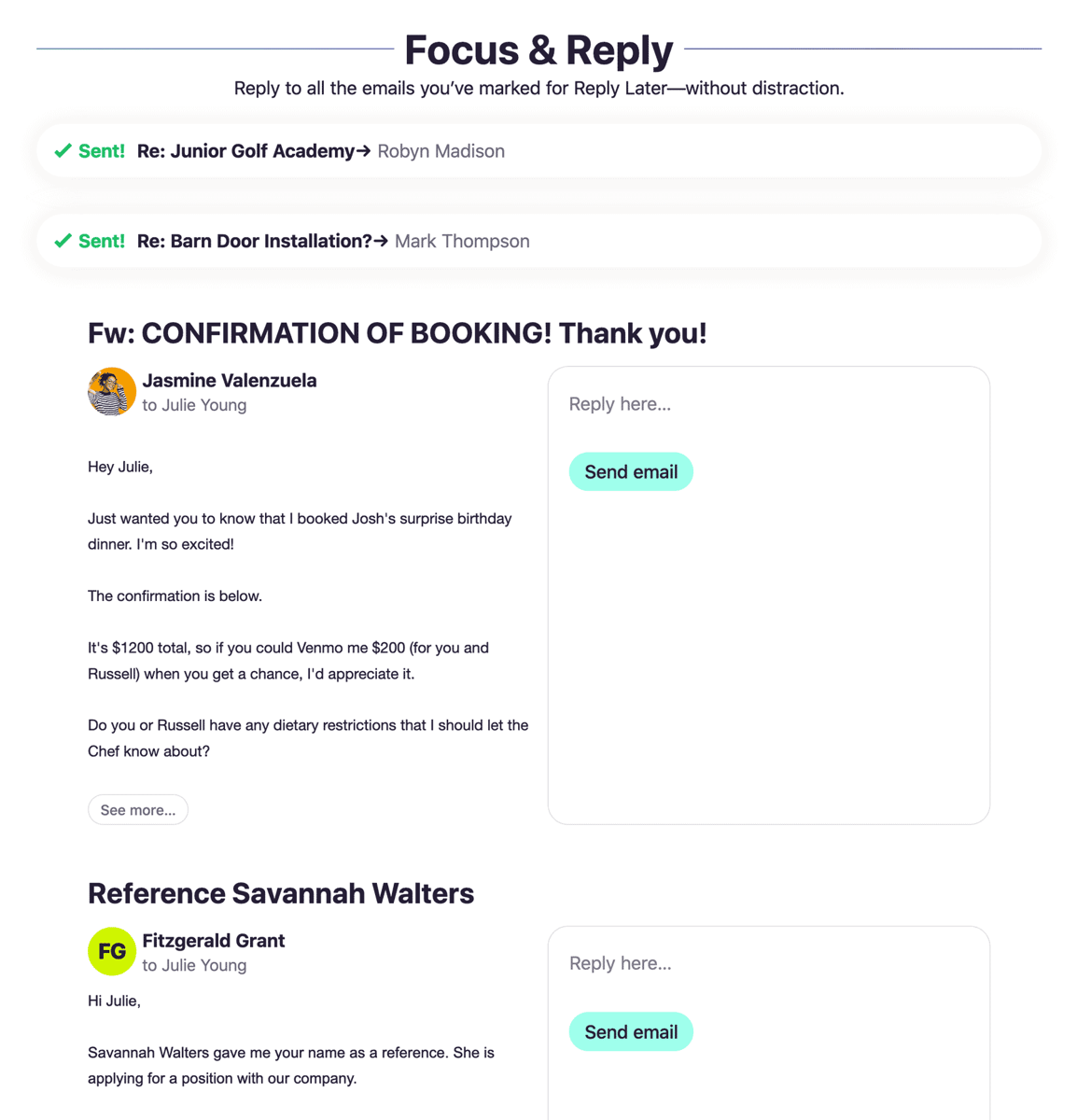
This is a headline feature and it's really very good. Flag your emails 'Reply Later' as you're reading your new mails and stack them up for dealing with later. When you're ready, Focus and Reply lets you hammer through them all at once from a single screen. It's a brilliant workflow.
Spy Tracking
I think the Spy Tracker support is brilliant and should become the standard in all email apps. Perhaps it will. I actually emailed Fastmail about this and their reply was pretty interesting:
We've blocked remote images from loading by default for years: https://www.fastmail.com/help/receive/remotecontent.html.
And if you do enable remote loading of images for your known contacts, or just enable it for a single message, then our servers proxy the images, so all the sender can know is details about our hosts and nothing about you.
So, actually, Fastmail are pretty much doing the same thing other than alerting you to the fact that emails are using SendGrid or whatever?
Clips
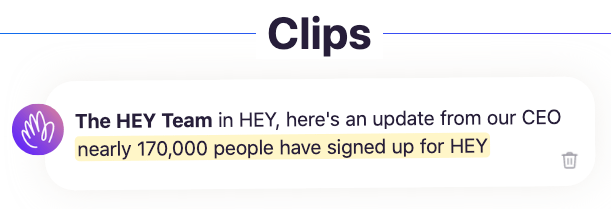
Clips is a brilliant feature that I never knew I needed. Highlight some text and save it in your list of clips. I can see this feature being expanded in the future, such as filtering and being able to set expiry dates.
😣 Frustrations
Custom Domains
Perhaps the most common complaint I've seen on Twitter is the lack of custom domain support. I run email off my own domain so this is of course something of a blocker to my own full-time adoption. I did try forwarding my email into HEY for a while so I could use the app in anger, but I'm not yet ready to make my @hey.com address my default so I've paused this for now. Custom domains are coming in 2020 and I'm excited to see what they offer from day one. I hope they nail it.
🔕 Notifications
Despite being something of an inbox zero fiend, I have no problem with the Previously Seen list in my Imbox. I really like the idea of Paper Trail and The Feed, and autofiling email in there is great but I have a real gripe with notifications. I definitely don't want to be notified via push on my phone when a new item hits either of these areas, but when I log into HEY I definitely do want to be notified, visually, that there's something new to view in these areas. As it stands, I have to compulsively check each one irrespective of whether there's something new. HEY's philosophy is that I should ignore them entirely until I feel like reading my Feed, but in reality this is never going to work for me. I'd like to have HEY alert me to the fact that there's something there, and if I feel like reading the feed at that time I will, otherwise I'll come back later. If I don't know, I feel compelled to check which is just a waste of time.
Now forgive me for my sins, but I actually want to receive notifications for emails that hit my Imbox by default, not the other way round. With HEY there is no way to do this – no notifications at all. You have to manually edit each contact and enable notifications for them specifically. I'd much rather HEY let me choose which is my preferred default, irrespective of the philosophy. Let me default to on.
Imbox
Please just call it Inbox! I can never unsee a typo here, I'm sorry. I understand but it just doesn't work for me.
Quoted text rendering
This is a total design challenge and HEY is no worse than Gmail in this regard, but I have to say Fastmail do a far better job of it. HEY rendering feels like a backwards step after using Fastmail and its multi-coloured threading. Hopefully it will improve over time.
Exporting
The export to MBOX feature is great – it's my data and it means I'm not locked in. I know that if I decide to leave HEY, I can easily export all my mail and push it back into Fastmail. However, I like to label a bunch of my emails and currently this metadata will be lost when exporting from HEY. I suggested to DHH that they use IMAP folders in the export to maintain label information and he said it was a good idea, so perhaps it will see the light of day soon 🤞
😴 Snooze
Set Aside is great, I like it a lot. But sometimes there are emails that I want to set aside for a longer period and the Snooze feature in Gmail and Fastmail is super-handy for this. When you set something aside in HEY, the email is there in the stack, staring at you in the face every time you visit. This isn't desirable for 'set aside for ages' emails, so a Snooze function (either as part of Set Aside, or just in general) would be great.
Can I just replicate the HEY workflow?
Undoubtedly the killer feature of HEY is the built-in workflow. Some people have suggested that this is a feature that could be replicated in standard email, so I had a crack at this with my Fastmail account. While not being a match for HEY, it actually worked surprisingly well!
I first created labels for Reply Later, Set Aside, The Feed and Paper Trail:
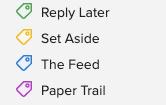
Moving mail into Reply Later or Set Aside is really easy in Fastmail because of their keyboard shortcuts: view the mail, click 'm' to bring up the 'Move' menu and then start typing 'Repl..' to label it as Reply Later. Admittedly not as slick as HEY but it's blazingly fast (as are most things in Fastmail) when you're used to it.
I then set up rules to move things into The Feed and Paper Trail. Again, not as simple as with HEY but the rules in Fastmail are very powerful so you do have a bit more flexibility here:
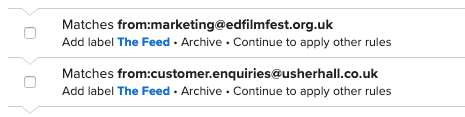
The Screener
I might be in the minority but I find The Screener more annoying than not. It turns out it's extremely rare that I receive an email from someone that I want to screen out. I can do this in Fastmail using blocking, but my blocklist is virtually empty.
If I was using HEY for my work email, however, it would be a completely different story which does make me wonder whether HEY's future success really lies in the business market.
In Conclusion
Using HEY is a really nice and unique email experience, but it's early days and 'power users' like me will likely find it lacking in some areas.
I've already paid for my first year because I love the @hey.com email address, I really want to try HEY with custom domains when they launch, and I also want to see how it develops in the coming year. I'm also happy to pay Basecamp to keep developing this product as it feels important right now. The world needs more players in the email provider space, especially high-quality, privacy-focused products. Until HEY arrived, Fastmail was the only major player other than the obvious 'free' options of Gmail, Microsoft and Yahoo.
Can HEY fully replace Fastmail for me though? Will I be renewing in 12 month's time?
Once custom domains land, I think it could replace Fastmail for me. That said, I'll likely still end up paying for Fastmail irrespective of how HEY develops simply because of their excellent multi-domain support. So I'll probably end up paying for both! 😅
With Fastmail I can create forwarders on my family domain for the kids (I really hope HEY's custom domain feature will support this, but I'm not confident they will). I can also support fully-featured email on all the domains I own (such as the one for this blog!) without incurring any additional cost or hassle dealing with other email providers. Much as I'd like to see HEY offer feature parity here, I think it's unlikely they will, at least not for a while. Fastmail have been developing their service for over 20 years and it's a highly tuned machine, so it will take a while for HEY to fully catch up, assuming they even want to.
Have you considered using HEY and replacing Fastmail? I'd love to hear what you think. My blog doesn't have comments so feel free to drop me a line at [email protected], send me a tweet or discuss on Hacker News 👋 😀
Save 10% on your first year's Fastmail subscription by signing up using my referral link.
QWERTYUIOP
We live in a time where email is something that was invented three generations ago by grandparents. It's an app among many on our home screens that can send messages, pictures, videos. We have it because Google give it to us, and because you sort of need it to create your Snapchat, your Instagram, your Facebook. At least for the time being.
It's important to understand history. Lessons of the past teach us how to build a better future. Sending an email will reward you with spam rather than Likes but understanding the history behind it can teach us the importance of open standards in computing, and the dangers of a world of inaccessible walled gardens.
Perhaps it's because I'm now closer to the grandparents than I am the millennials, or maybe it’s my tendency towards nostalgia, but I look at email, Iike the web itself, as a collective generosity, developed by people for fun over profit for the greater good, in an age that appears to be slowly drifting away. We need more of that right now. Praeteritis ad futura.