The plague of offering a free website/blog platform is the spammers. They’re relentless. I’ve largely automated spam detection now, but it’s eye-rolling to see them keep trying, day-in, day-out. Here’s a prime example.

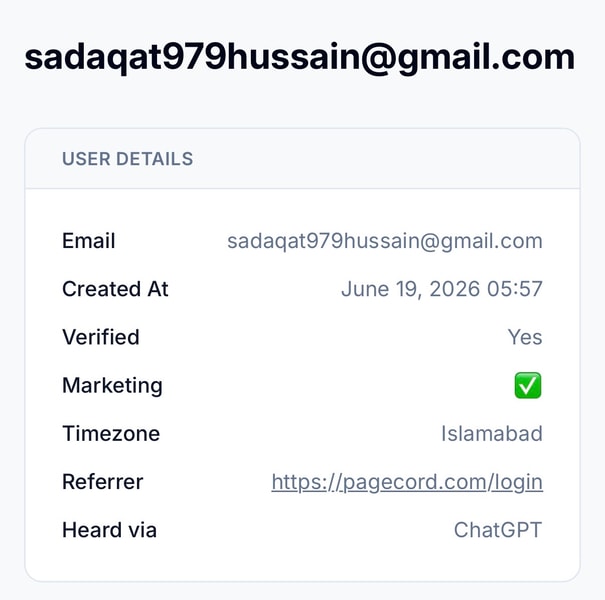
Try harder, bots.
Internet flâneur • Pagecord foundling
The plague of offering a free website/blog platform is the spammers. They’re relentless. I’ve largely automated spam detection now, but it’s eye-rolling to see them keep trying, day-in, day-out. Here’s a prime example.
Try harder, bots.
I've been updating the Pagecord home page today with a new headline, refreshed hero text, and a new section called The Pagecord Principles.
The idea is to encapsulate why Pagecord exists and what it stands for. I'm hoping this resonates with bloggers visiting for the first time, encouraging them to sign up to Pagecord rather than (or as well as) one of the many, many alternatives.
It's not a political standpoint or a side-swipe at the competition, just a set of founding principles that guide the development and evolution of the product.
I think it brings more purpose. What do you think?
Pagecord reduces the ceremony around blogging. Publish what you like, when you like, from wherever you like. A single photograph, a quick thought, a full-on essay. Everything looks great. Don't let overthinking hold you back – write and publish whenever you feel the urge.
Pagecord lets you use the writing tools you already love. Use the fantastic web editor, post by sending an email, publish from Obsidian, or publish from the terminal using the CLI or API.
Pagecord gives writers a long-term home on the web. Bring your own domain name, create your own design. Export your entire site, including images, any time in HTML or Markdown format. No lock-in. Easy to leave, but worth staying for.
Pagecord embraces the original dream of the World Wide Web. Fast, lean, semantic HTML that looks great on every device. Tiny JavaScript sprinkles, evergreen permalinks, RSS, and email. No bloat, no adverts. Built for the long haul using tried and trusted tech.
Reading a Pagecord blog should be as effortless as writing on one. Every Pagecord blog comes with RSS support. Premium lets readers subscribe to weekly email digests, or individual posts by email. Readers can also reply privately to posts using email.
Pagecord includes posts, pages, themes, analytics, email subscribers, custom domains, and full export. Everything you could reasonably need, for a most reasonable price.

Scotland comes to Boston for the World Cup ❤️
Biggest IPO of all time and Musk’s speech is a 5 sentence sci-fi B movie word salad that literally makes no sense. That’s all you got?
I always think about this. There are always problems on earth. There’s always things that we wish to be better, that we want to solve here on Earth, and we should solve them. But there also have to be things that get you excited about the future - that make you glad to wake up in the morning, because you can’t wait to see what happens next. And that’s the future SpaceX wants to bring to you.
AI-sphyxiation /ˌeɪ aɪ sfɪksiˈeɪʃən/ (AY-eye sfik-see-AY-shən)
noun
The gradual suffocation of otherwise useful products by unwanted and unwarranted AI features.
“Google Photos has been completely AI-sphyxiated.”
Etymology: A portmanteau of AI and asphyxiation; literally, “suffocation by AI.”
See also: enshittification, slopification
I’ve published a small Pagecord command line app (CLI) for people who want to write on their local machine in Markdown (or HTML) and publish those files to Pagecord. If you use Obsidian, you should use the dedicated plugin, but if you use something else then the CLI app might be able to help.
The app is written in Ruby (❤️), and you install it from RubyGems:
gem install pagecord-cli
Once installed, you can log in using the login command and passing your blog subdomain:
pagecord login blog-subdomain
This will ask for your API key, which will be used to authenticate you.
Once you're logged in, you can save posts to your blog as draft or published using the draft and publish commands:
# subdomain is only required if you're logged into two or more blogs
pagecord draft post.md [subdomain]
pagecord publish post.md [subdomain]
If you want to move a published post back to draft, use the draft command.
Images are supported as with the Obsidian plugin. Just reference the local file in your Markdown and it will be uploaded to Pagecord.
After syncing a file (draft or published), you'll notice some frontmatter entries appear such as pagecord_token, pagecord_blog_fingerprint, and pagecord_attachments – these are required by the app to identify the blog post and attachments in Pagecord, so please don't edit them.
Frontmatter in your Markdown file is supported as per the Obsidian plugin, but if you prefer you can use CLI options to configure the post.
Note: The CLI app and Obsidian plugin use the same Pagecord frontmatter, so you can move between them. A post first published from the CLI can later be edited and synced from Obsidian, and a note first published from Obsidian can later be updated from the CLI.
# by default the title is set to be the same as the file name
--title "Custom title"
--title ""
--slug my-new-post-slug
--published-at 2026-06-11
--tags ruby,cli
--canonical-url https://example.com/original
--hidden
--locale en
The CLI app covers the main workflows. If you want to delete a post, you'll need to head into the Pagecord UI.
Hopefully this app opens up options for people who want to write locally in other editors like iA Writer, Vim or Emacs, or do some automation, but who don't want to fiddle with the Pagecord API itself.
Composing your blog posts locally on your own device is a great way to use Pagecord. You can export your data from Pagecord at any time of course, but writing locally means you own all your content from the outset. Your posts are just files that you can back up, store on Dropbox, whatever you like!
This is how I write most blog posts now, and I've published this one using the CLI app itself.
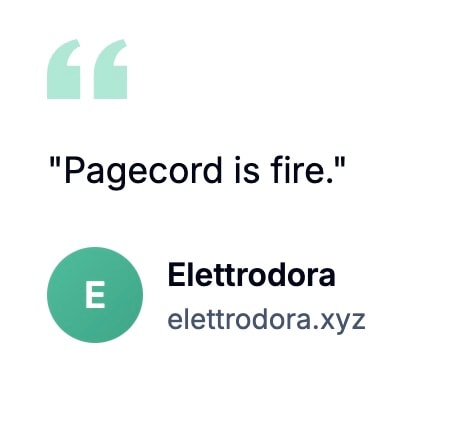
Testimonials don't get any better than this imo.
I first thought about the next chunky Pagecord feature 148 days ago, according to the Fizzy card I created (I use Fizzy to track all my Pagecord work). I put up the first PR 32 days after that, and I got it production ready today, 4 months later.
The feature didn't take 5 months of me grinding at the keyboard every day. Far from it. In the agentic coding era it has probably taken only a few hours of prompting and LLM munching over that time. At most, a couple of day's work in total.
What's interesting to me about this isn't the flex of building a feature quickly without hand-cranking much/any code (that's still fascinating, for sure), but rather that it's still worth taking your time to let a feature sit and evolve a little before shoving it out the door. Not only will this help you find a few more bugs and edge cases, but you'll have more time to think about the implementation and whether you truly need it – could it be done more simply, is the additional complexity worth the cost, is now the right time, and what's the opportunity cost of not doing it? Time might change your mind.
You can put some things out there without much consideration or hesitation, but for the chunkier changes, my advice would be to live with it for a while. Let it sit and simmer, stirring only occasionally. Things often taste better when they've developed more flavour.
A post on Sebastian’s blog introduced me to Junited, a fun celebration of blogging started by Robert Birming in 2024. In Robert’s words:
Junited is a little blog-loving adventure where the blogging community gets together to share posts they enjoy and discover new bloggers along the way
What a wonderful idea! I’ll be using this post to partake in it throughout June. I mean, I run an indie blogging platform myself so how could I not! 😊
Here's my list.
I didn't come across a whole lot of interesting links this month. Or maybe I did and just forgot to make a note of them? That's probably more likely. Either way, here are a few things I discovered and liked.
If you visit a website you should ... see the website. See its content. Be able to read the article whose page you are attempting to visit. Showing a “subscribe to our newsletter” or “accept our fucking cookies” dickover to someone trying to read an article on the web makes no more sense than sending out an email newsletter that only contains a link to read the newsletter on a webpage. A webpage should show the webpage. An email should show the email. I should not have to explain this.
— John Gruber, What is a Dickover?

I’ve been using Voi bikes around Edinburgh quite a lot over the past few weeks. Here are some initial observations.