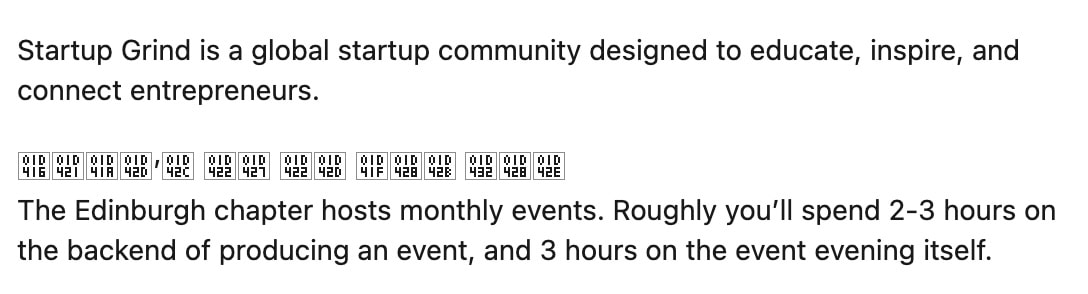
I was browsing LinkedIn using Firefox and saw this cryptic message:
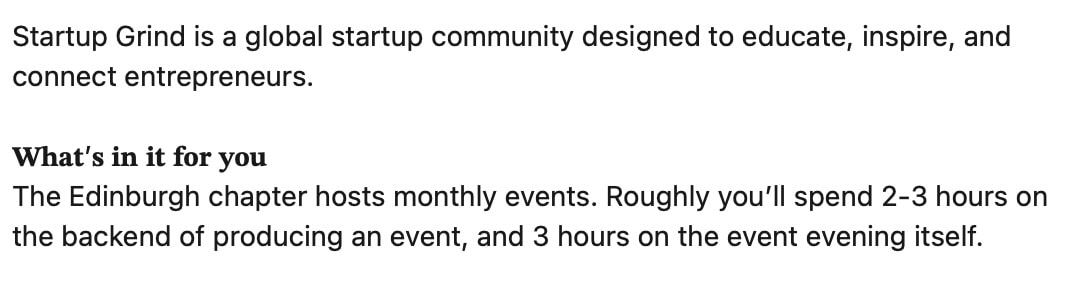
This seemed odd, so I checked it in both Safari and Chrome:
Huh.
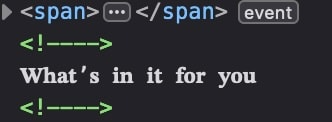
Looking at the source in the Firefox dev tools, I saw this.
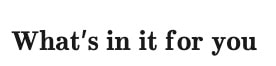
If you're eagle-eyed, you'll notice this isn't 'normal' text – it's a homoglyph. Urgh. But why was Firefox struggling to render it, and how do I sort it out?
I thought it might be a Unicode font issue and after a little googling I found an old Mozilla forum post that suggested I install the Symbola font. I tried that but it didn't work. I then asked Claude which told me about an obscure Firefox config variable called font.name-list.sans-serif.x-math. This was configured with the value Helvetica which explained it – these required glyphs are not in that font. I changed the value to Symbola, restarted Firefox and voila!
(I also tried using Apple Symbols instead of Symbola, but that didn't work 🤷♀️)
So this fixed the problem, but I've still no idea why Firefox was configured this way. Maybe it's normal?
This sort of oddity with Firefox is something I've noticed quite a few times over the 20-odd years of trying, on and off, to use it as my day to day browser. It does seem to have more than its fair share of obscure rendering issues, which is perhaps due to its age – it is a direct descendent of Netscape Navigator, which launched in 1994, after all!
Rather than bemoan it, it's probably best to accept the oddities and work with them. Firefox is the browser OG, and the world is better for it. Warts and all.